New Feature Update: Sync Your Availability Across Calendars
Key Takeaways
- Events on your synced Google or iCal calendar can now block online booking in TherapyAppointment.
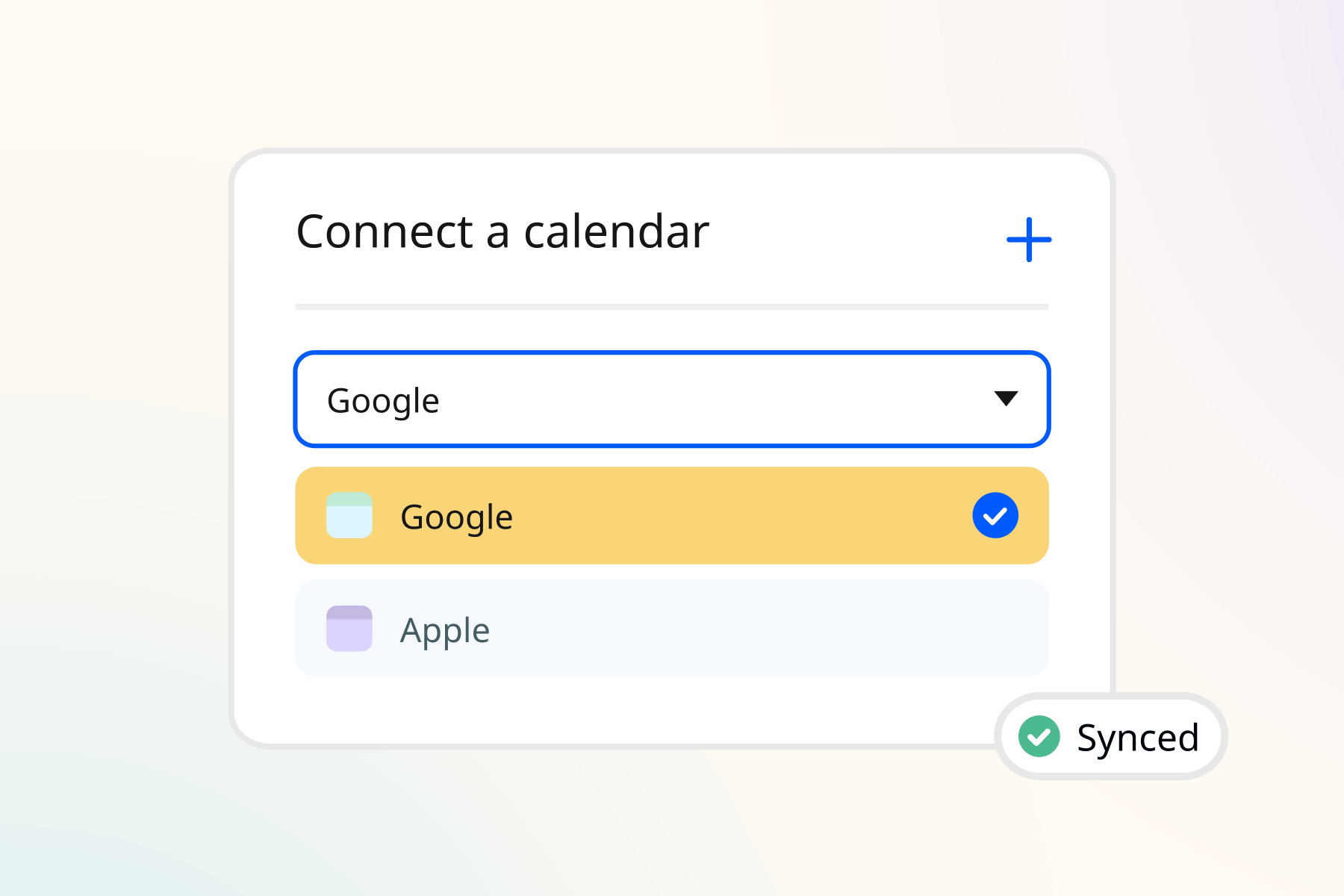
- Turn it on for each calendar in Calendar Settings.
- Events marked 'Free' won’t block your time.
Most therapists juggle more than one calendar. Client sessions live on your TherapyAppointment calendar, while dentist appointments, family commitments, and vacations live on Google or iCal.
With our latest calendar sync update, you can automatically block online booking in TherapyAppointment when you're busy on your Google or iCal calendar. No more double entry, and no clients booking appointments when you're already occupied.
How it works
Once you turn on blocking for a synced external calendar, events on your connected Google or iCal calendar appear as shaded blocks on your TherapyAppointment calendar. Clients won't be able to book those times online.
Your existing appointments stay exactly as they are, and nothing on your external calendar changes.
What blocks your time
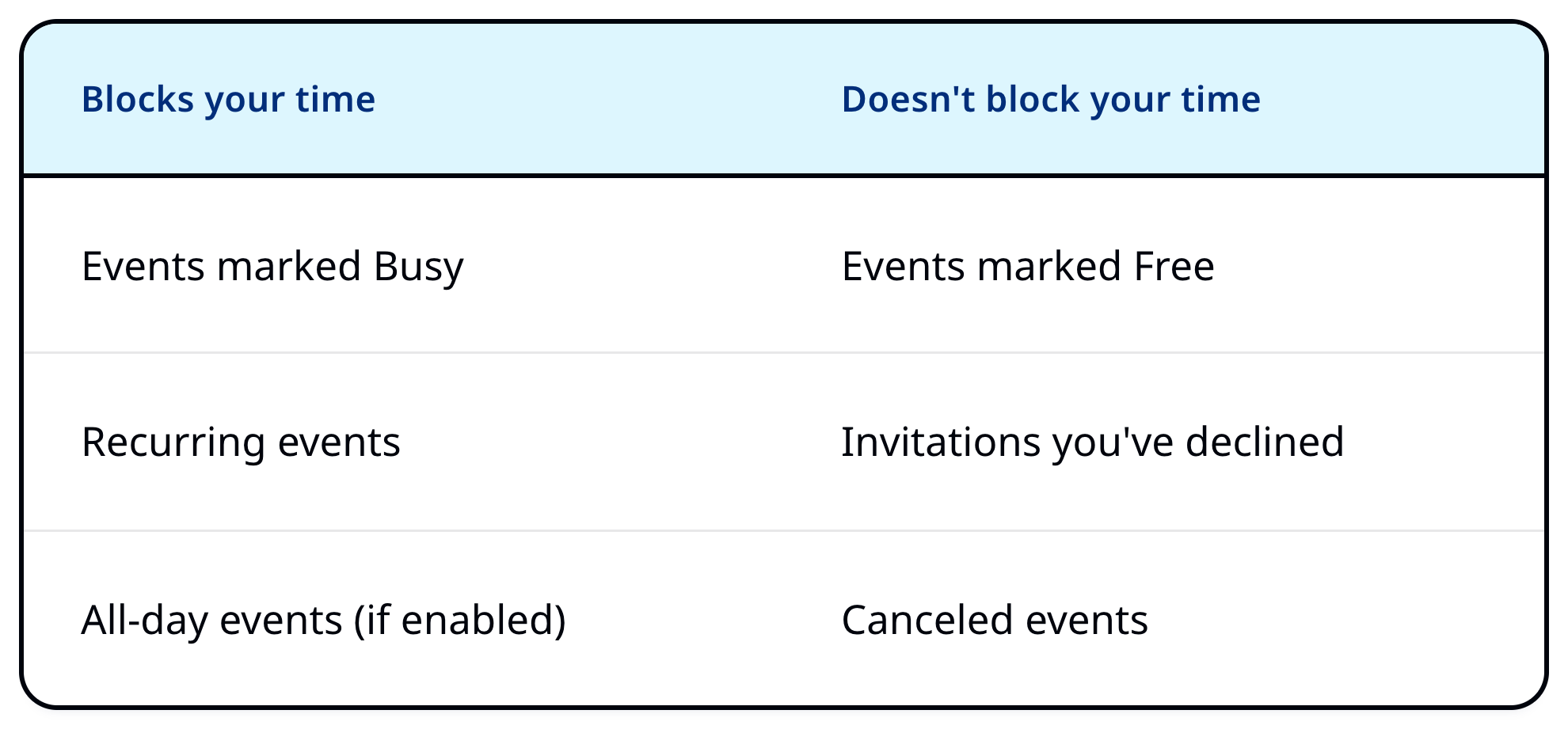
Quick tip: Have an event you want to see on your calendar without blocking appointments? Just mark it "Free" in Google or iCal.
How to turn it on
- Go to Calendar Settings in TherapyAppointment.
- Click Edit next to your connected Google or iCal calendar, or add a new one.
- Turn on Block online scheduling during events on this calendar.
- Choose whether to enable Also block on all-day events, then click Save.
Make the most of calendar blocking
Here are a few helpful tips to keep your calendars working together and your availability up to date.
- Blocking updates automatically, but not instantly. If you need time blocked right away, add it to your TherapyAppointment calendar.
- Colleagues and clients will see grey shading showing you're unavailable, but they won't see which calendar it's from or what the event is.
- If a blocked time ever needs to be booked, you and your staff can still schedule it after dismissing the conflict warning.
For the full walkthrough, see our Block Availability with an External Calendar help article.